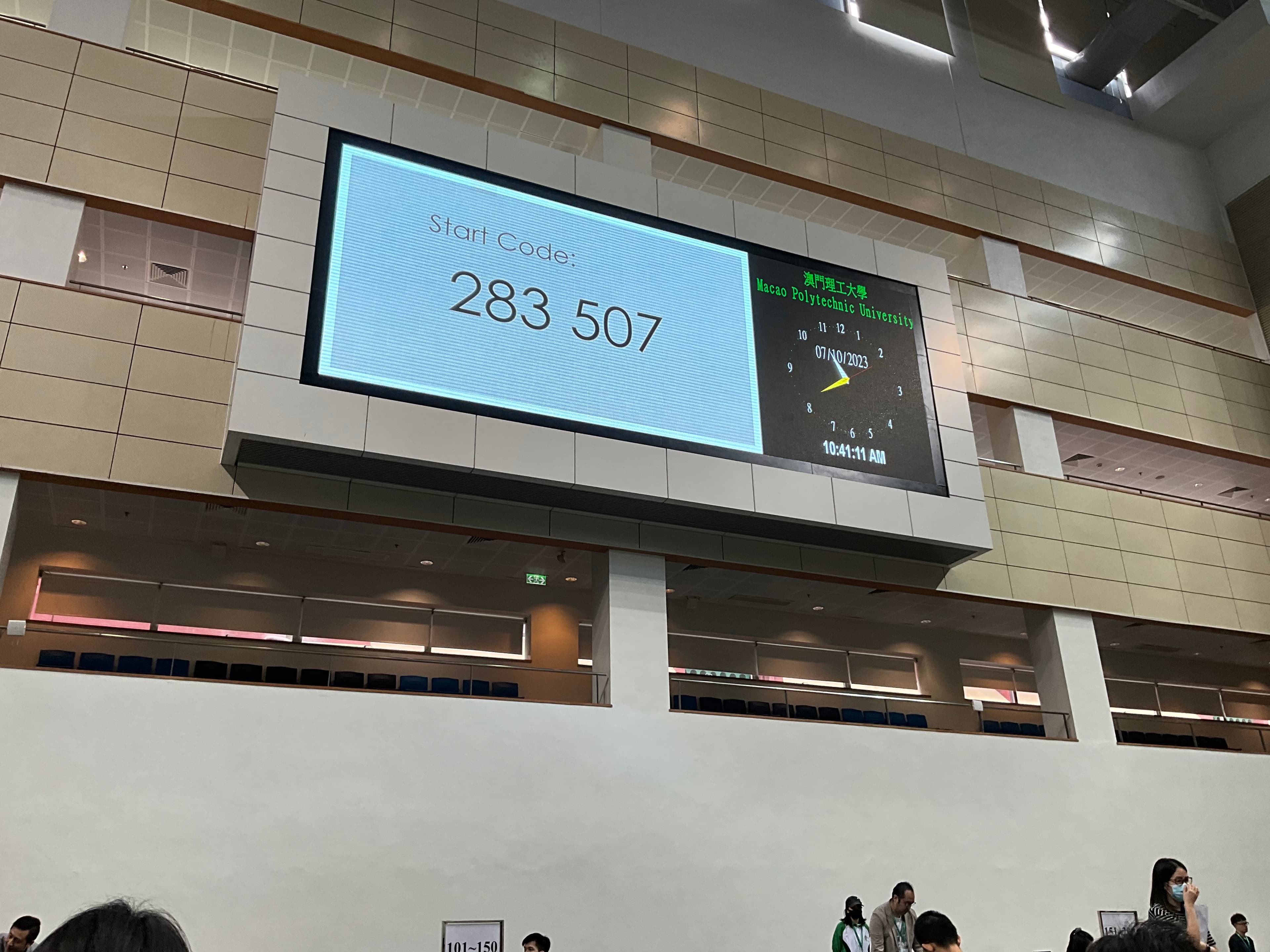
Following the 2023 SAT reform, all international test centers have replaced the traditional paper-based SAT with a digital version. Unlike other computer-based tests like the TOEFL or ACT, the Digital SAT requires students to bring their own devices (supporting Mac, Windows, iPad, and Chromebook) and install the Bluebook app to take the test. The exam is divided into two parts, Reading and Writing and Math, with a 10-minute break in between.
Taking the Exam#
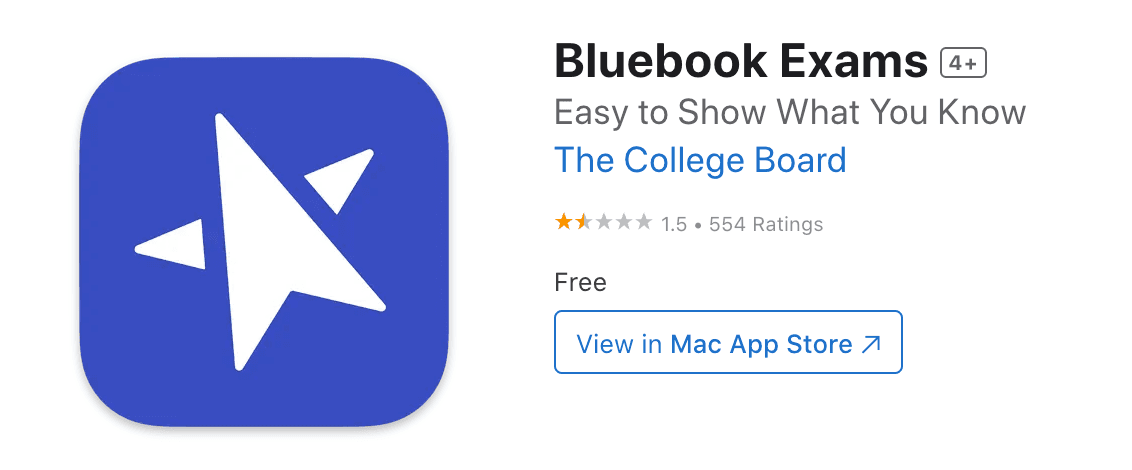
The exam I registered for was held on October 7, 2023, at the Macao Polytechnic University. At the time, I had two devices: a 16-inch Intel MacBook Pro (2019) and an iPad Pro 2022. Since the exam lasts about 2-3 hours and I have zero trust in the battery life of the Intel MBP (it often runs out of power in an hour and a half just running a few IDEs in class), I decided to use the iPad for the exam.
After entering the test center and connecting to the WI-FI, everything went smoothly until it was time to start. However, when I went to enter the Start Code after the proctor finished reading the instructions, my iPad crashed directly back to the home screen.
A quick side note: once you enter an exam in Bluebook, it utilizes iPadOS’s Automatic Assessment Configuration framework to automatically lock the device, preventing screen switching, auto-spell check, shared clipboard, and other features.
I definitely didn’t dare to mess around with it myself, so I quickly raised my hand for the proctor. At that moment, my iPad was in a very strange state: looking at the top status bar, the iPad was still in AAC lock mode, but it had returned to the home screen.
At this point, Bluebook fell into an infinite crash loop. After a few cycles, the iPad restarted automatically. I then reopened Bluebook, logged in, entered the Start Code, and the interface correctly entered the first Reading Section. Everything seemed back to normal, so I rushed to start the questions without thinking much more about it.
By then, the test had already been underway for 5 minutes. Although everyone takes the Digital SAT individually, the break timelines don’t sync up; everyone else goes on break 5 minutes before you, which more or less affects your state of mind.
And so, I managed to finish the Reading section without further incident.
The Situation Deteriorates#
After returning from the mid-term break, I took a deep breath and prepared for the Math section. I was feeling relatively calm because the first module of SAT Math is mostly “freebie” questions.
However, after calculating a fill-in-the-blank question, I tapped the input box on the screen to enter my answer, and Bluebook crashed again without any warning. I quickly raised my hand for the proctor, but we just repeated the same steps from the beginning of the exam.
Fortunately, after returning to Bluebook, my time and progress were saved. I continued with trepidation, but when I got to another fill-in-the-blank question, it crashed again.
At this point, I was losing my mind. Several proctors gathered around me to see what was happening. Then came the turning point: a proctor told me to uninstall and reinstall Bluebook. I did as I was told, but for Bluebook, my device now appeared as a “new device” that couldn’t directly enter the exam and required proctor approval.
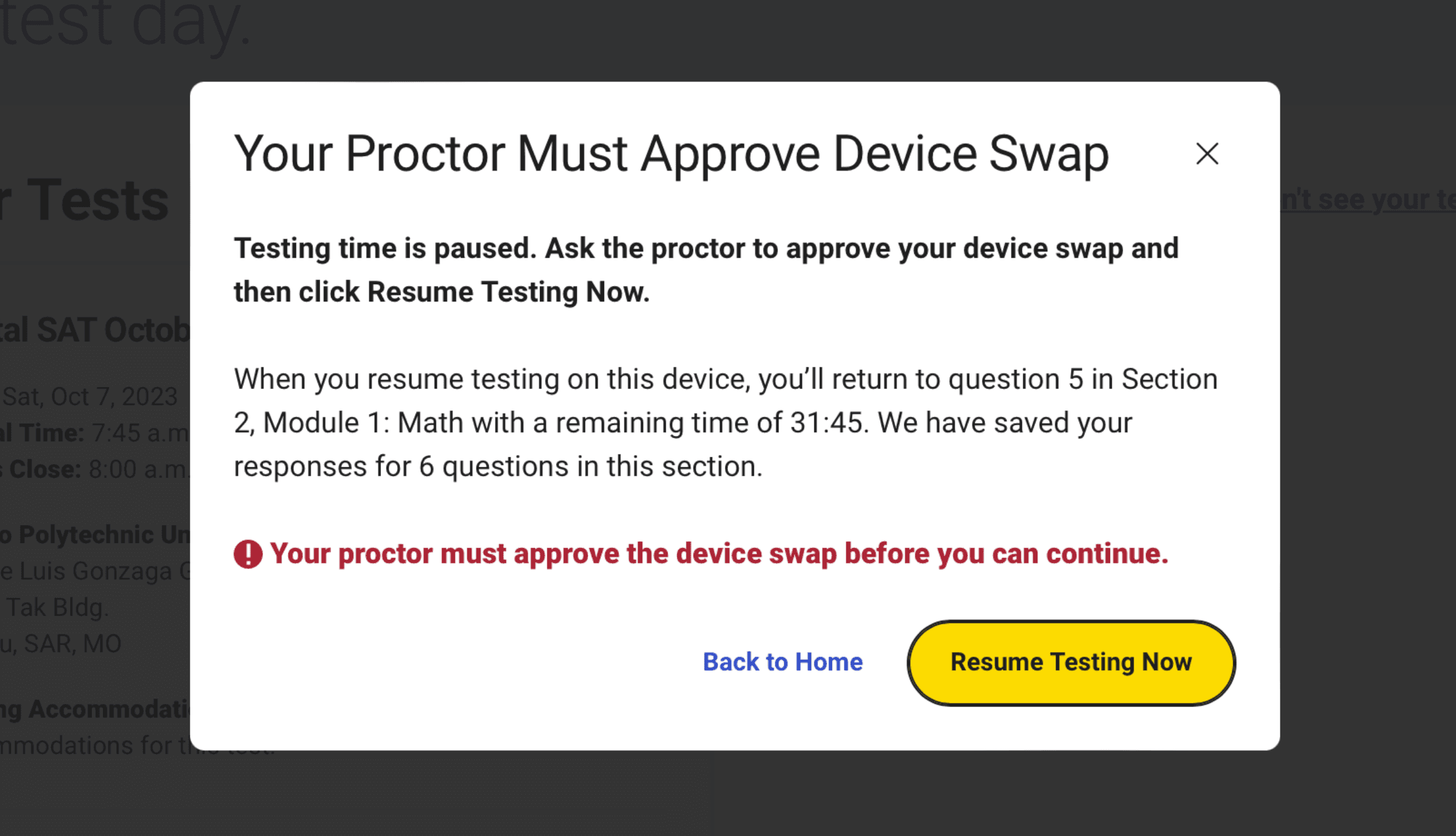
However, because the second part of the exam had already started, even though the main proctor approved the request to change devices, I was met with a cold pop-up window:
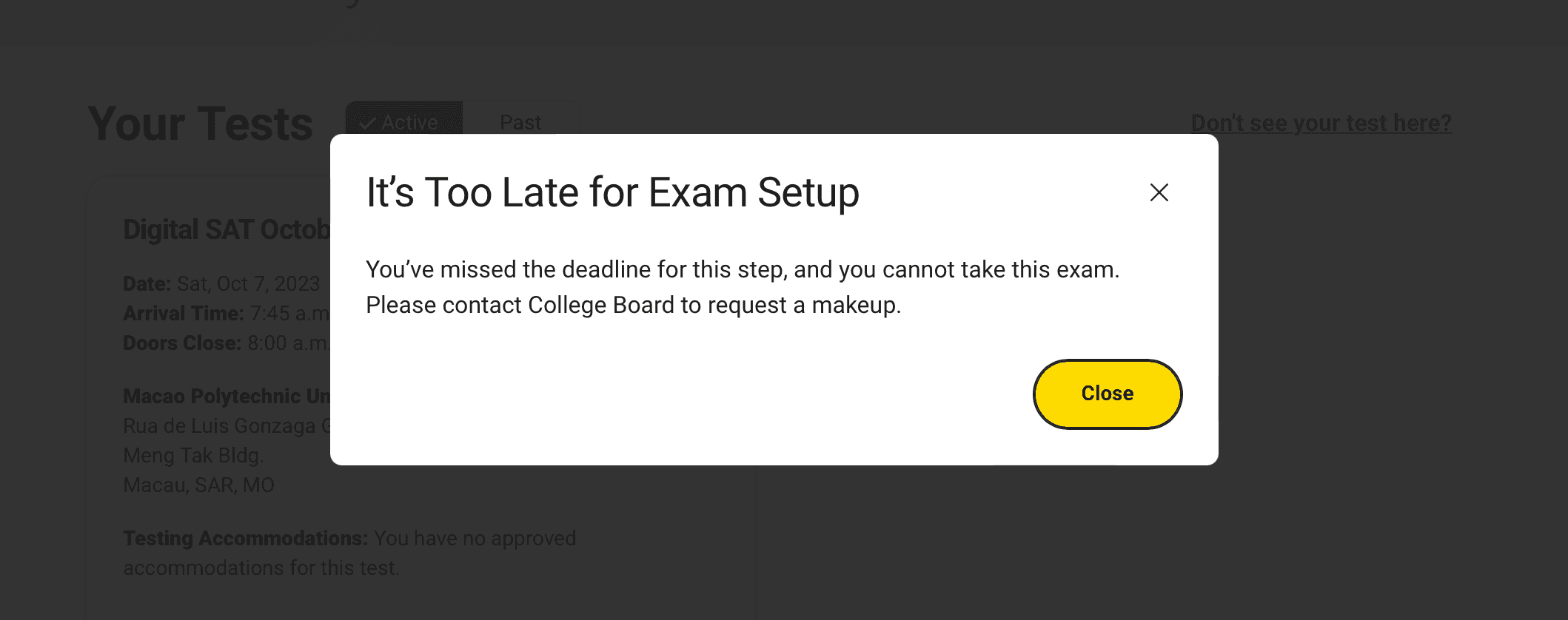
I was completely locked out of the exam. Even though the test center provided backup Thinkpad laptops, there was no way for me to continue. I was in a daze, but I had to accept the fact that this whole trip had been for nothing. I might be able to ask CB for a refund of the exam fee, but the round-trip airfare from Beijing to Macau and the hotel costs were all wasted.
When I tried to talk to the test center staff, they were extremely indifferent, stating they could do nothing except file a “ticket” with the SAT organizer, College Board, to describe the accident (though I later found out they likely never did). Since the exam wasn’t over yet, they made me sit there and wait until 11:00 AM before I could leave.
(In this regard, it’s a far cry from test centers in mainland China; at the very least, emergency response plans for various exams in the mainland are very comprehensive, and they would definitely arrange a retest as soon as possible.)
Post-exam Investigation#
I had no desire to sightsee in Macau anymore, so I went straight to the airport after picking up my luggage from the hotel. While waiting for my flight, it suddenly occurred to me that every crash happened right after I clicked on a text input field. I immediately opened my laptop, and after searching, a post on Apple Developer from a few weeks prior titled “iOS 17 bug - app crashes when input element is focused when using Automatic Assessment Configuration” caught my eye:
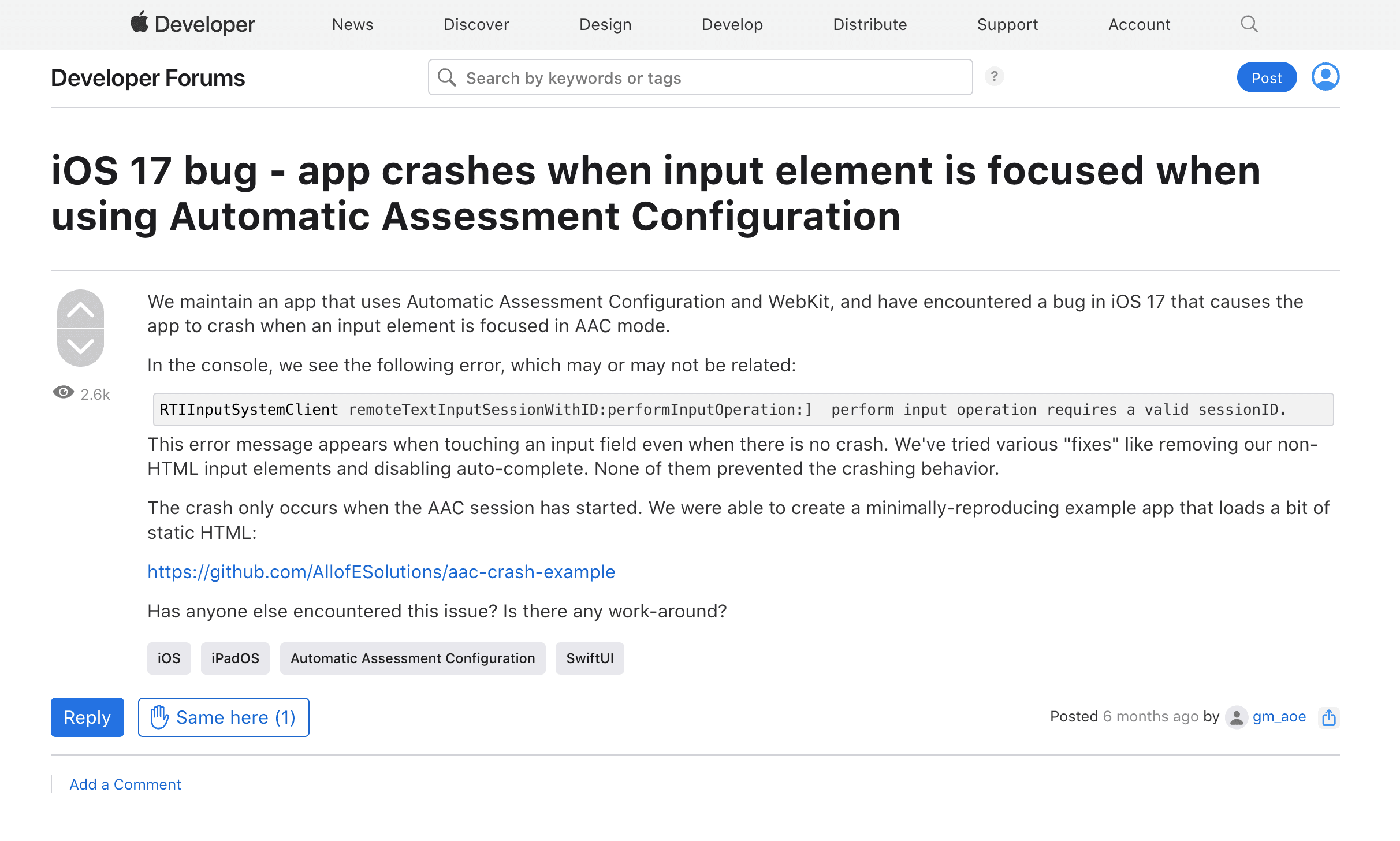
According to the post, when a device running iOS 17 enters AAC lock mode in an app built with WebKit, the app crashes upon focusing on an HTML <input> control.
At that moment, I knew I had found the answer. My iPad was running iPadOS 17, which had been released on September 18 (about half a month before the exam). And it was obvious at a glance that Bluebook uses WebKit.
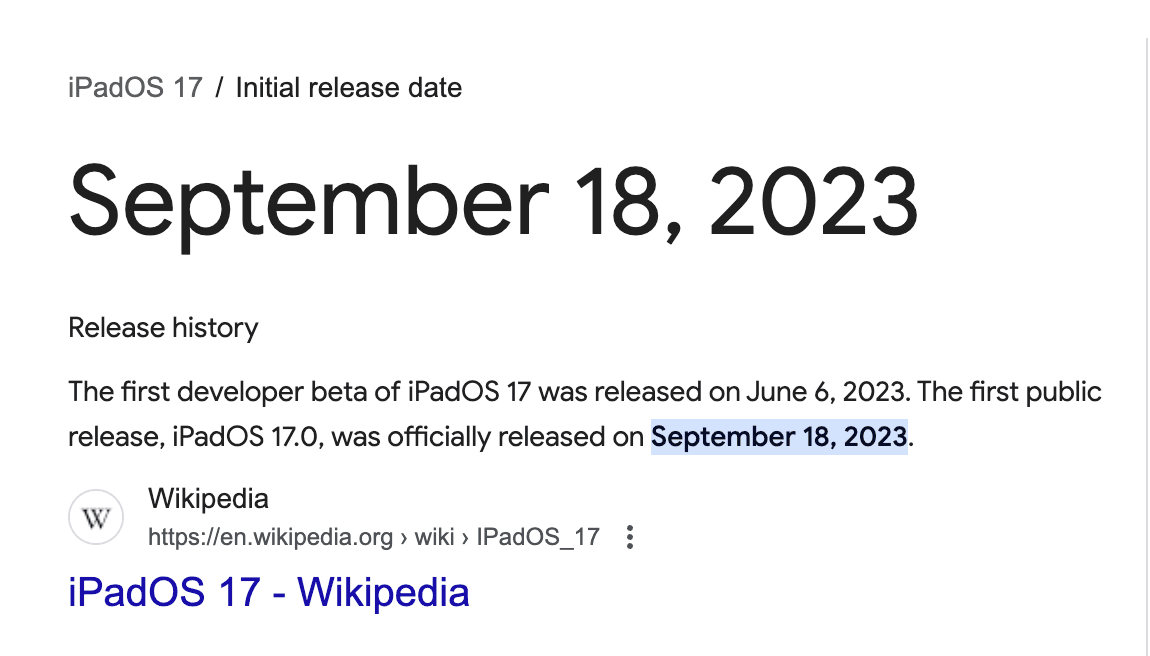
So the truth finally came to light. Although there was a “Device Test” phase a few days before the exam, it only checked basic items like display and whether the test paper loaded correctly; it didn’t actually enter AAC lock mode to fully simulate the exam environment.
What I find unacceptable is that Apple released the first developer beta of iPadOS 17 as early as June 6, yet College Board (CB) technical staff failed to test their Bluebook software on the new system. They allowed this “time bomb”—which was almost 100% reproducible—to persist from the June Developer Beta through 8 beta versions until the official release following the Apple Autumn event in September. It finally exploded during the actual SAT exam half a month later.
If the CB iOS testers had performed even one test or paid more attention to the Apple Developer Forum, this accident would never have happened.
On the other hand, even though my iPad was crashing like crazy, I could still answer questions (it seemed the crash was only triggered when focusing on the second HTML Input). If I hadn’t listened to the proctor’s nonsense about uninstalling and reinstalling Bluebook and instead written my answers on scratch paper first, then slowly filled them in while restarting the device, I could have finished the exam.
I’m sure I wasn’t the only one who encountered this problem. Because the Macao Polytechnic University test center is small, I seemed to be the only one there. But anyone using an iPad upgraded to iPadOS 17 to take the exam would have almost certainly hit this bug.
After the exam, I found other students on Xiaohongshu who had the same experience. I believe this exam was extremely important, as it was the last SAT before the Early Decision (ED) deadline for US college applications. I strongly condemn the College Board’s inaction and the arrogance of the Macau Polytechnic test center.
Aftermath#
After returning to the hotel after the exam, I submitted a support ticket on the official website and sent an email explaining the situation, attaching my investigation results and the link to the Apple Developer Forum. Unsurprisingly, that email disappeared into the void.
Three days after the exam, on October 10, the College Board finally realized what was happening and posted the incident on the Bluebook Alert page. On October 25, Apple released iPadOS 17.1, which resolved the issue.
Before the November 4 exam a month later, CB sent an email to all candidates warning them not to use devices running iPadOS 17 for the exam.
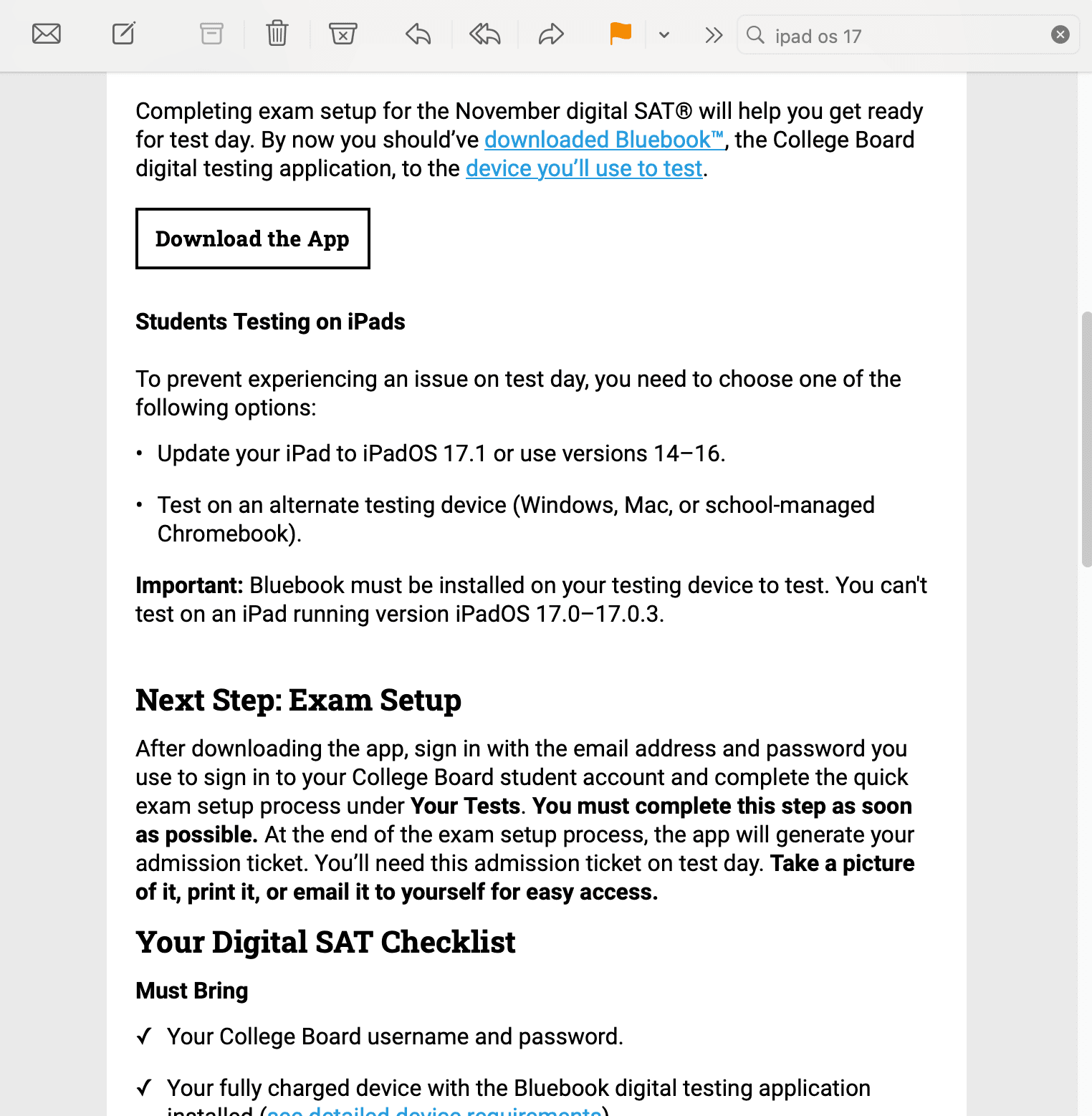
Interestingly, when I later contacted CB by phone to request a refund of the exam fee, the staff seemed completely unaware of the issue, saying “perhaps because you closed your device too quickly, only the Reading section answers were sent.” I didn’t bother explaining it to her further; as long as I got my money back, it was fine.
Summary#
Clearly, this was an accident caused by “force majeure.” I hope the College Board will test devices more promptly in the future and improve the pre-exam device testing procedures—actually simulate the anti-cheating lock mode rather than being lazy.
For us students, there might not be much we can do, but perhaps:
Don’t update your OS before an exam, even if it’s the official version (otherwise, you’ll end up being a guinea pig testing for potential bugs like I was).
Try to use more mainstream devices for the exam (Mac/Windows).
If a problem occurs during the exam, resolve it as early as possible. If I had requested to use the test center’s backup device when it crashed while entering the Start Code, the accident could have been avoided.
Do not delete Bluebook once the exam has started! Logically, every device should have a unique identifier, but I don’t know what Bluebook uses to identify devices; after reinstalling, it becomes a “new” device, and at that point, if you can’t get back into the exam, no one can save you.
Looking back, this whole exam trip was unlucky. I had a fever and spent the day before the exam in bed, and then I couldn’t rest properly because of a hours-long fire drill alarm at the hotel. And in the end, I didn’t even get to finish the exam ;(